Open shifts, requests and series
Offer an open shift to the team, decide claims, give-aways and swaps, ask workers to confirm, cover a no-show, and keep a standing weekly pattern filled with a series.
Open shifts
A booking with nobody on it sits in the Open shifts lane. You can fill it yourself — drag it onto a person in Edit, or open it and search in Assign Staff — or let the team take it from their app.
Offer to the team
Open a published open booking and click Offer to the team in its Assign Staff section. The dialog reads the roster and lists Who could take it — the people free and eligible right now — with a short message you can add. If someone is still on the booking, tick Unassign … first. Broadcast tells them, and the toast says how many were notified.
Who hears, and when, follows Scheduling settings:
- Everyone free and eligible is told at once, or
- the client's preferred workers hear first and everyone else only after the delay you set — Everyone sees them after N hours.
Workers claim from the staff app. With Workers can take open shifts set to With approval the claim lands on the Requests page for you to decide; set to Instantly the first eligible claim is assigned straight away.
Requests
Requests (beside Planner in the sidebar) lists what your team raises from their app: claims of open shifts and bookings, give-aways of a shift they hold, and swaps with a colleague. Pending is what awaits a decision; Decided holds the rest.
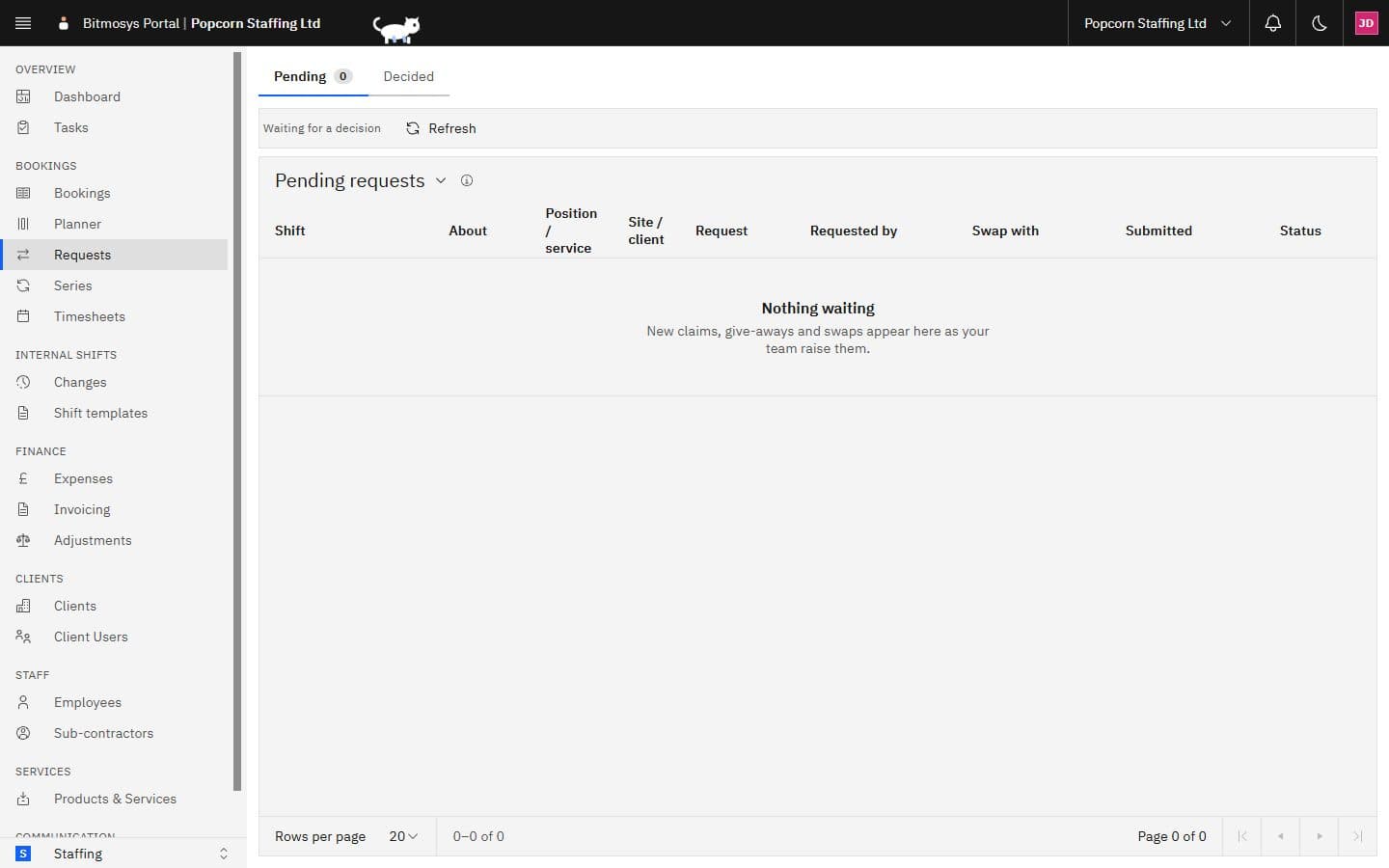
The About column says whether a request concerns an internal Shift or a client Booking. Click a row to open it: the shift or booking, who asked, their note, and the colleague for a swap (a swap waits until the colleague has accepted it on their phone). Approve runs the same rules as assigning on the Planner — the panel shows Checking the rules for this request…, then either goes ahead or tells you Approving would raise warnings and which — with an optional note; Decline takes an optional reason. The worker is told either way.
With Swaps and give-aways set to Approve automatically with enough notice, a swap or give-away on a shift further away than the hours you set is approved without you.
Confirmation
When Shift confirmation is set to Ask staff to confirm, a worker is asked to acknowledge each booking in their app. Until they do, its chip carries the Unconfirmed glyph and the panel's Assign Staff section reads Staff Acknowledged only once they have. From the panel you can send an acknowledgement reminder (a push and an in-app alert, once an hour at most).
With Ask, and reopen the shift if unconfirmed before it starts, a published booking still unacknowledged this close to its start — Reopen if unconfirmed this long before the start — is taken off the worker, told to them, and offered to the team again with that worker excluded. It happens once per booking.
On the day: late and no-show
Today's chips show the time clock's word for each person: On site once they clock in, Late when the start has passed without a clock-in, No-show an hour after that, Clocked out at the end. On a late or no-show booking the panel's Assign Staff section offers Find replacement — late / — no-show: the broadcast dialog opens in replacement mode (reason set, Unassign ticked) with candidates ranked by fit, each with their warnings and their recent reliability, so you can cover the shift from one place.
Series
A series is a standing weekly pattern — Reception Mon–Fri 09:00–17:00, two dental nurses at Lopez Ventures every weekday — that the Planner keeps creating ahead. Open Series from the sidebar.
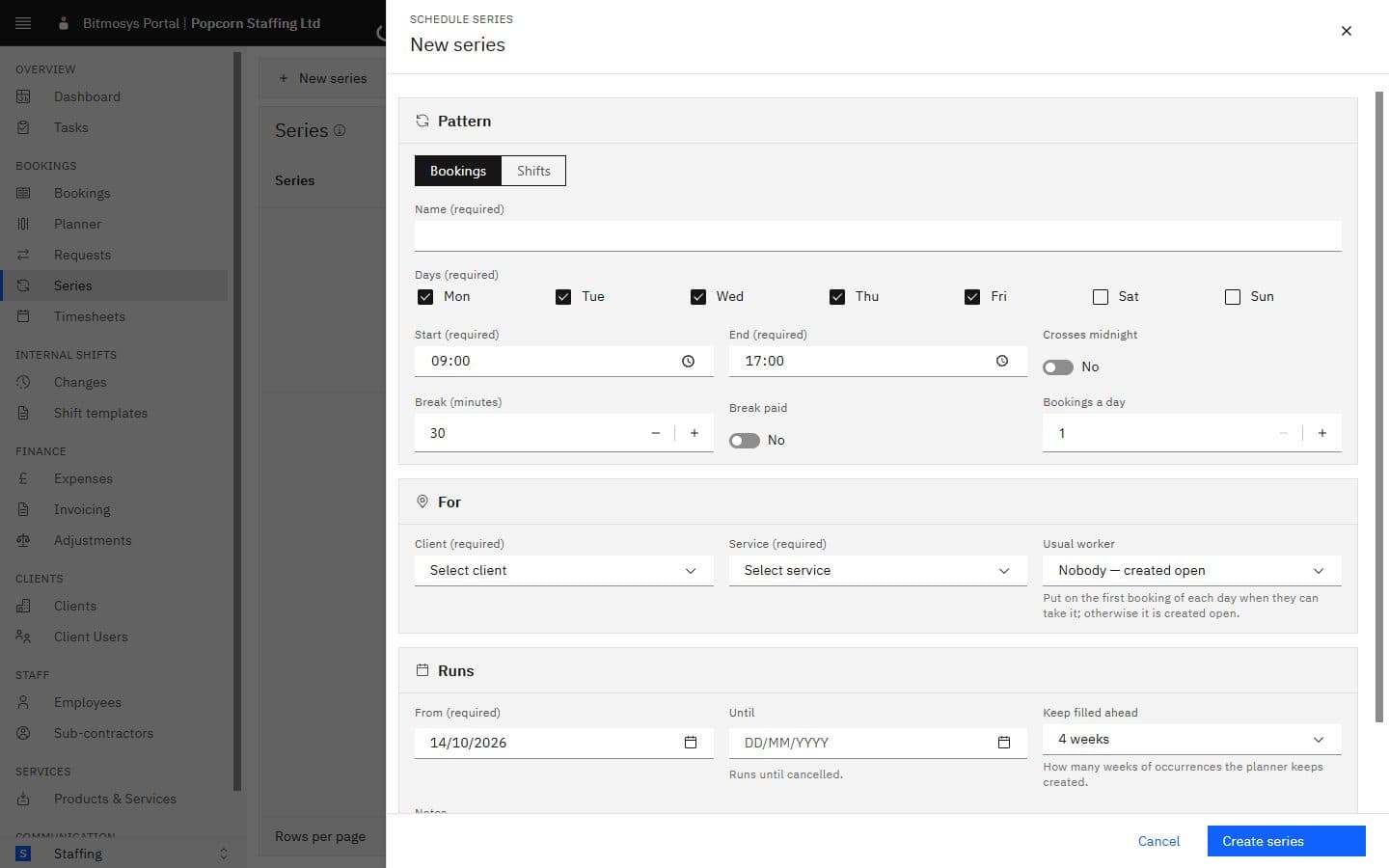
New series asks for:
- Pattern — Bookings or Shifts; a name; the days; start and end (and Crosses midnight); the break and whether it's paid; how many bookings a day.
- For — the client and service (a site and position for internal shifts), and the usual worker: put on the first booking of each day when they can take it, otherwise the booking is created open. Nobody — created open leaves them all open.
- Runs — from when (never in the past), until when (or Runs until cancelled), and Keep filled ahead — how many weeks of occurrences the Planner keeps created.
The list shows each series with its pattern, what it is for, the usual person, when it runs, how far ahead it is filled and its status. From a row:
Action | What it does |
|---|---|
| Edit | Changes the name, the usual worker, the until date, how far ahead and the notes. |
| This and following… | Changes the days, times, count or what it's for from a date: occurrences from that date that haven't started come off the Planner and the new pattern is created in their place. |
| Pause / Resume | Pausing keeps what is already on the Planner and creates nothing new until you resume. |
| Cancel series… | Ends the series today: occurrences from today that haven't started come off the Planner and the people on them are told; past ones stay. |
A booking that belongs to a series says so in its panel — Repeats · Part of a series — with a Manage series link.